Price alerts
Alerts on a price level — the five conditions, creating one from the form or by right-clicking the chart, and moving or deleting it on the chart itself.
A price alert watches one market's price against a level you choose. TapeHawk checks it against every trade.
Create one
In the Alerts tab of the sidebar, or from the chart's right-click menu:
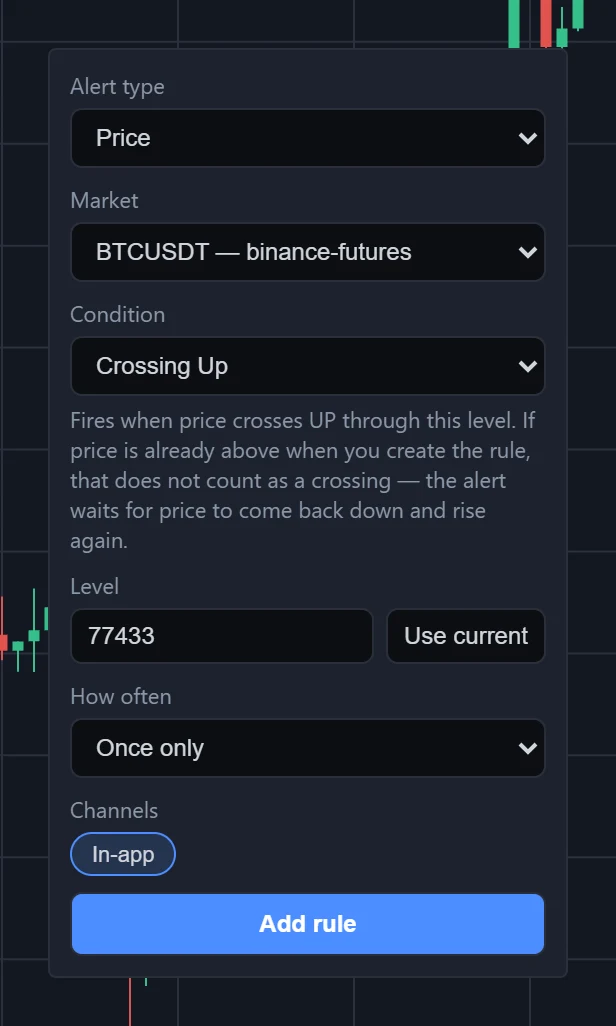
- Alert type — Price.
- Market — one of the recorded symbols. From the right-click menu it is the panel's symbol; on a live-only symbol that menu item is greyed out, because an alert cannot watch it.
- Condition — see the table below. A line under the list explains the one you picked.
- Level — the price. From the right-click menu it is already filled in, and Use current puts it back to that price.
- How often — see how often a rule fires. With Once per bar a Timeframe field appears, from 1m to 1d.
- Channels — In-app, the bell.
- Add rule.
Right-clicking the chart offers Create alert at the price under the pointer, rounded to the symbol's price step, and opens the form set to that price with Crossing Up.
The conditions
| Condition | Fires when |
|---|---|
| Crossing | Price crosses the level in either direction. |
| Crossing Up | Price crosses up through the level. If price is already above it when you save, that does not count: the rule waits for price to come back down and rise through it. |
| Crossing Down | Price crosses down through the level. If price is already below it when you save, the rule waits for price to rise above and fall through it. |
| Greater Than | Price becomes higher than the level. If it already is when you create the rule, or when you resume a paused one, the rule fires once straight away to say so — then waits for price to go below and come back up. |
| Less Than | Price becomes lower than the level. If it already is when you create or resume the rule, it fires once straight away — then waits for price to go above and come back down. |
Changing a rule's level or condition — including by dragging its line on the chart — makes that one-off check again: a Greater Than line dragged below the price fires once to say price is already above it.
A price that stops exactly on the level has not crossed it yet; the next move decides. Moving on counts as a cross in that direction, and moving back counts as a cross the other way. However often price crosses back and forth, a price rule fires at most once a minute.
On the chart
Every price rule on the symbol a panel shows is drawn across that panel as a horizontal line, with a label at its right end naming the condition and the price.
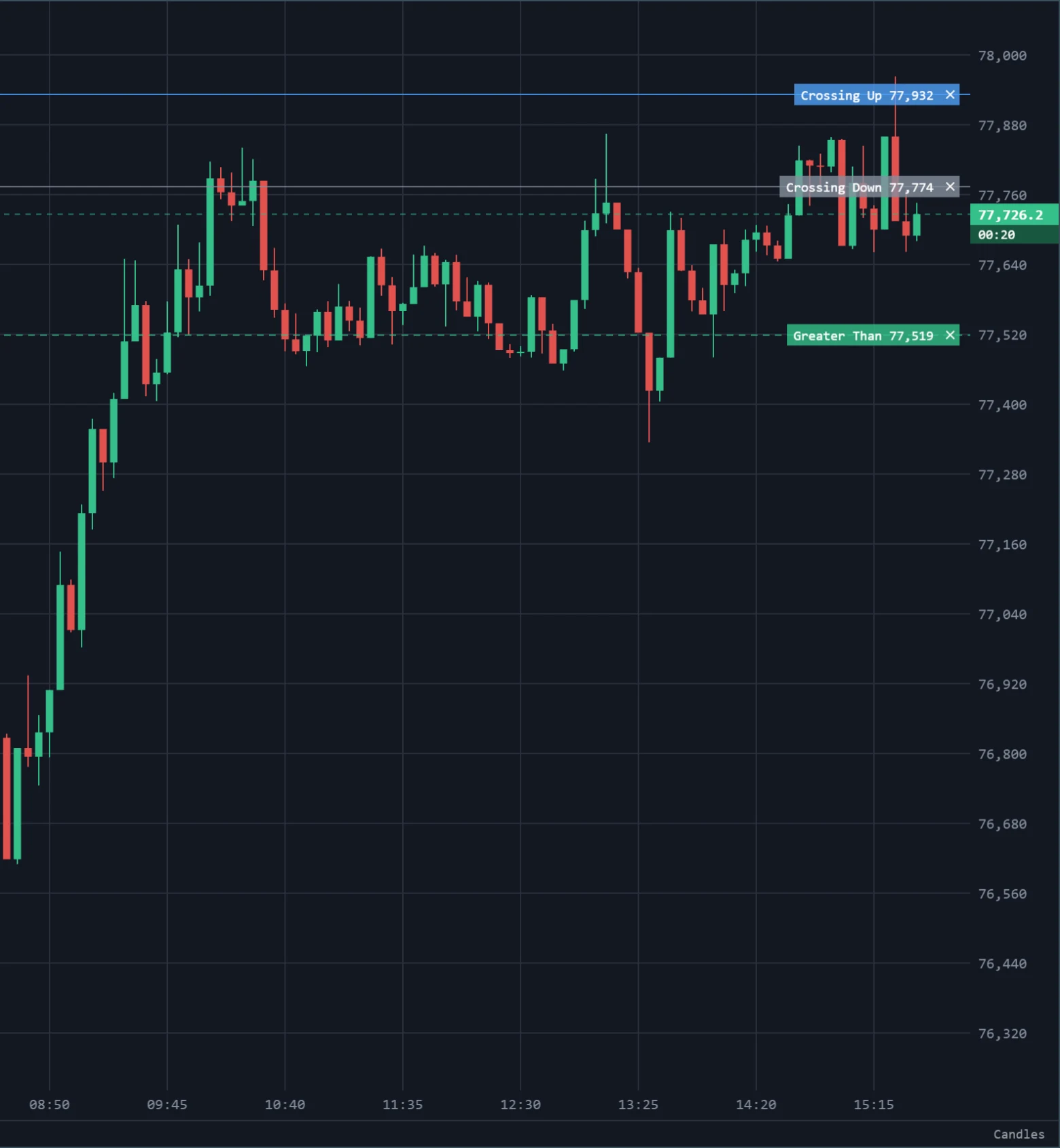
- The line follows the rule's status: an active rule is drawn in the chart's line colour, a paused one in grey, and a rule that has fired once, dashed in the up colour.
- Drag the line up or down to move the level. The new price is saved when you let go; if the change is refused, the line goes back and a message says why.
- The × on the label deletes the rule, without asking.
- A rule whose level is outside the price range on screen is not drawn until you scroll to it.
What the notification says
The bell shows the symbol, the condition and the price that triggered it, and under that the venue, the level the rule was watching, the trade that reached it, and the time. See Notifications.